GMOD Bombs
by DarkPlay · Adventure
Loads right here · Free · No download
Rotate your phone or go fullscreen for the best view
- Mobile-ready
- HTML5 · WebGL
- Landscape · 800×600
- Free · no sign-up
About GMOD Bombs
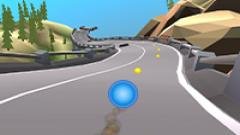
Experience the power of a high-tech laser cannon in the GMOD Bombs! Collect bombs, create cities, and aim to destroy objects on the map and enjoy spectacular explosions.
GMOD Bombs is an exciting game where you take on the role of a bombardier armed with a futuristic laser cannon. Your task is to collect bombs and strategically destroy various objects and structures on the map. Each bomb has a unique flight trajectory and blast radius, which requires precision and aiming skills.
How to play GMOD Bombs
Game mode.
WASD - Move.
E - Activate the bomb.
I - Store.
Right mouse button - Shoot.
Left mouse button - Capture an object with a laser.
Esc - Pause.
Construction Mode.
WASD - Control the camera.
Right mouse button - Browse.
Left mouse button - Select.
Wheel - Rotate the object during installation.
C - Clear the location.
T - Open / Close the panel for adding points.
B - Switch to spawn mode.
Key features
- garrys mod, gmod, sandbox, sbox, smod,
Tags
Provided by DarkPlay via GameDistribution. Information last updated 30 Jun 2025.
Continue playing
You might also like
Games sharing tags with GMOD Bombs: 3d, 1player, bomb, bomberman, attack




More Adventure games 2,098